How Agendaly works

Six steps, one chat, and no app for your customers.

From the first message to the reminder before the visit, every step lives inside the same WhatsApp conversation your customer already has open.

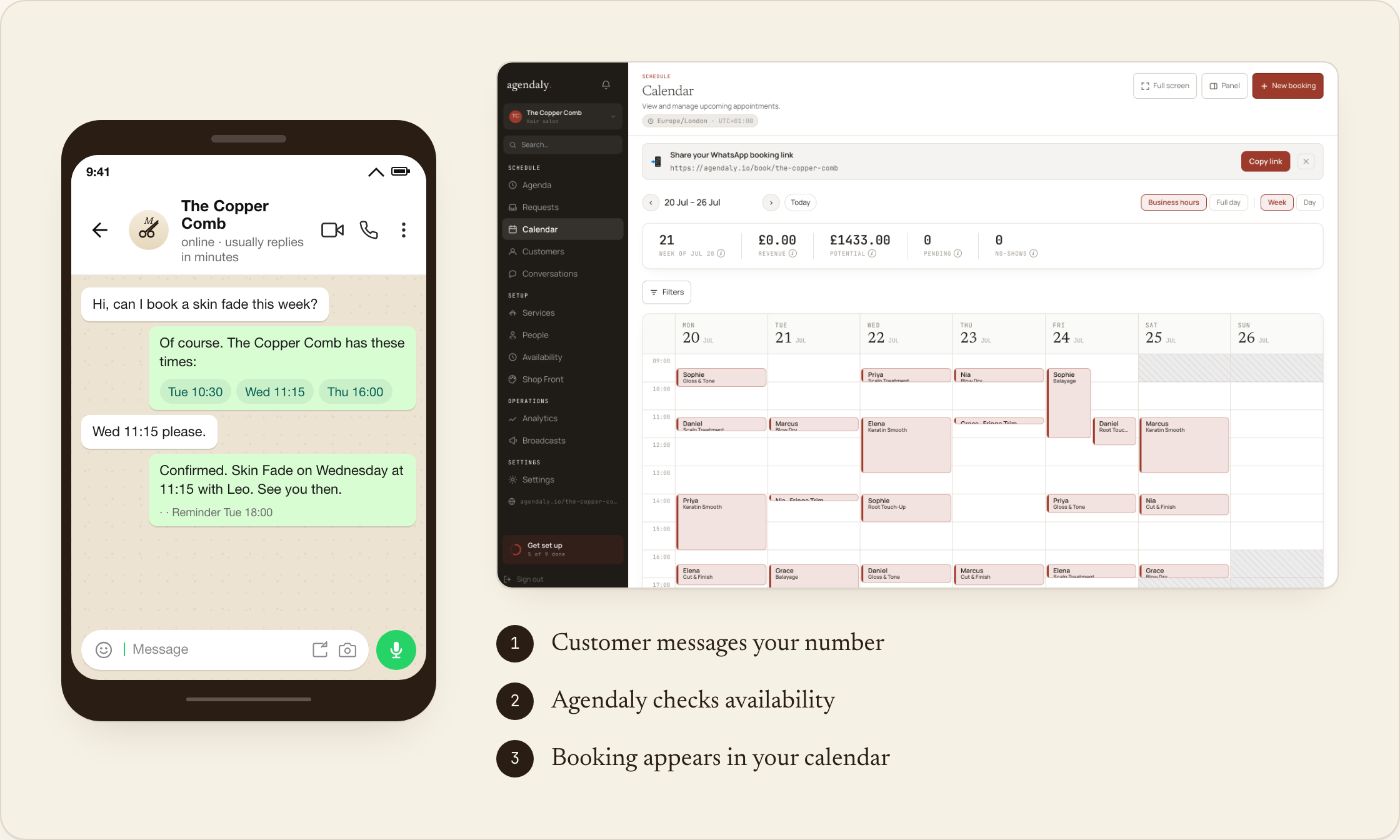
From a WhatsApp message to a confirmed booking in the Agendaly calendar
Phase a

Customer messages your WhatsApp number

They tap your number on Instagram, Google, or your website, and the chat opens. The bot greets them in the words you wrote during setup.

Phase b

Bot guides them through services and times

The bot walks them through the menu, asks any intake questions you've set up, and offers real openings from your live calendar.

Phase c

A deposit holds the slot

You decide whether the slot needs a deposit. The bot sends a Stripe, Paystack, or MoMo link in the chat, paid in two taps. Cash-on-arrival is fine for trusted clients.

Phase d

You approve the booking from your dashboard

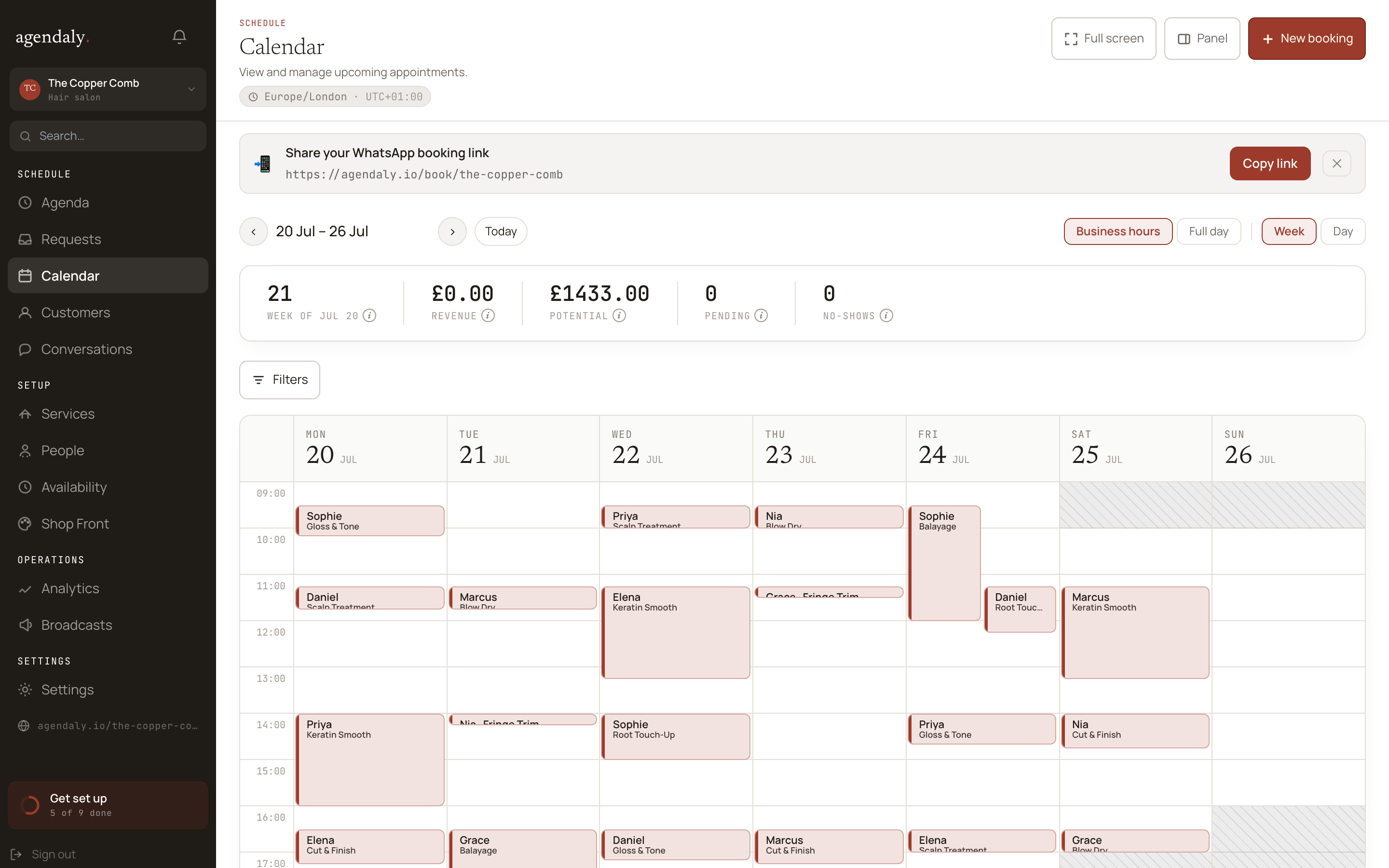
The request lands in your dashboard in seconds - with the customer, the service, the deposit, and the conversation history attached. You approve or reject it in one tap, so nothing is confirmed without you.

owner calendar - week view
Phase e

Complex steps open a secure web page

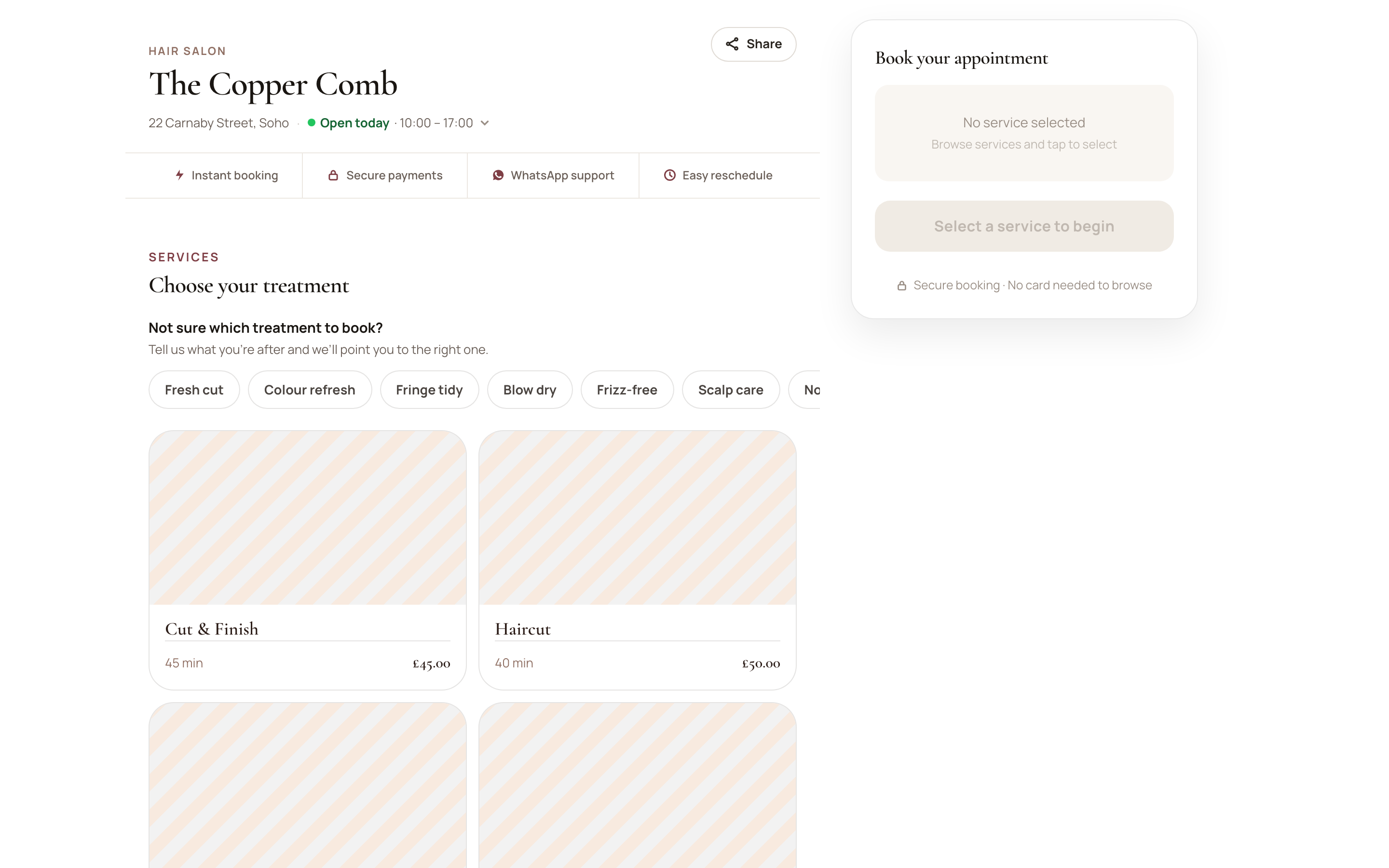
When a step needs more room - an intake form, a class booking, a package purchase, or a card payment - Agendaly opens a secure browser page from the chat, then brings the customer back to WhatsApp when they're done.

secure web handoff
Phase f

Reminders go out before the appointment

24-hour and 2-hour nudges land in WhatsApp. Customers can reply to confirm, reschedule, or cancel - and the bot handles the conversation either way.

WhatsApp first, web when it helps

Quick steps stay in the chat. Bigger steps open a secure web page.

Customers stay in WhatsApp for quick booking steps. When a step needs more space, like forms, payments, classes, or packages, Agendaly opens a secure web page and brings the customer back to WhatsApp when they're done.

In WhatsApp

  • Start a booking and choose a service
  • Pick staff or “anyone”, then a time
  • Confirm and send a MoMo screenshot
  • Join a waitlist
  • Get reminders and booking updates

On the web

  • Complete intake forms
  • Browse and book classes
  • Buy or manage packages and credits
  • Pay a deposit or balance
  • Manage, reschedule, or cancel a booking
Ready when you are

Let's connect your WhatsApp.

Onboarding takes about five minutes. We'll be on the other end if anything's unclear.